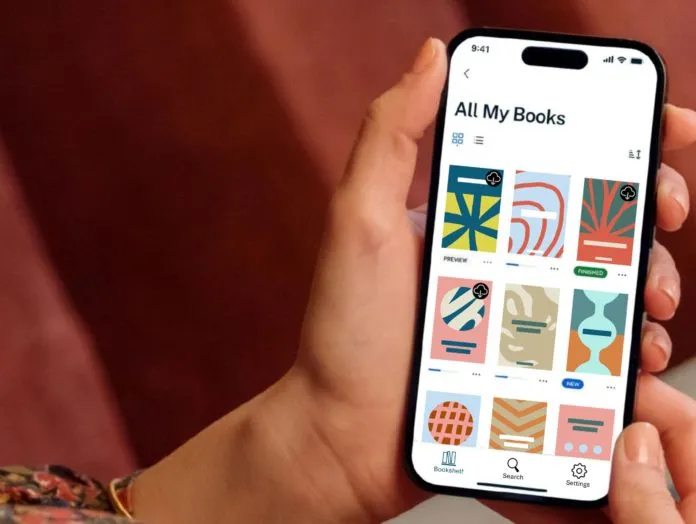
The eBooks.com app is a free ebook reader for iPhone, iPad and Android. It opens every ebook you buy from eBooks.com, both DRM-free and DRM-protected, and keeps your place in sync with our online reader.
It replaces our older Ebook Reader app. On iPhone and iPad it needs iOS 16 or later.
What the app opens
The app reads EPUB and PDF ebooks bought from eBooks.com. Sign in with your eBooks.com account and your bookshelf appears in the app, with new purchases added as soon as you buy them.
DRM-protected books use Readium LCP, an open DRM standard from the Readium Foundation. They open in the app with no Adobe account or extra software.
The app doesn’t open ebooks bought from other stores yet.
Features
Accessibility
The app was designed for accessibility from the start. It includes:
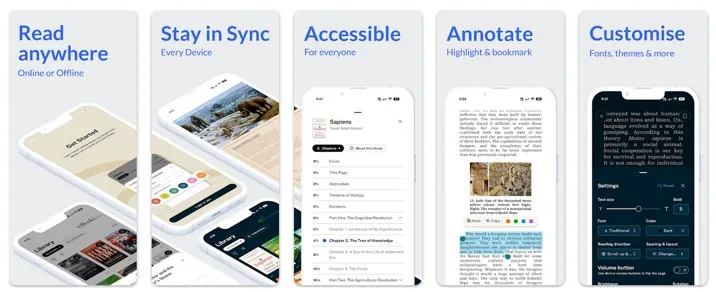
- Adjustable fonts, text sizes and spacing
- Support for your device’s accessibility settings
- Screen reader support
- Clear navigation and structure
Sync across devices
Your reading syncs between your phone, tablet and the eBooks.com online reader, including:
- Your current position
- Bookmarks and highlights
- Typography and layout preferences
Reading settings
You can set the typeface, margins, spacing and theme, including day and night modes. The interface is kept simple and uncluttered, so the text takes centre stage.
Page rendering
Pages are rendered by Colibrio’s ebook rendering engine, which gives consistent typography, pagination and layout across devices.
Many of our books are academic, professional and scientific titles, so the app is built to stay fast and stable with large files, tables, figures and complex layouts.
How the app compares with other reading apps
Here’s how the main reading apps handle ebooks bought from eBooks.com.
| eBooks.com app | Kindle app | Kobo Books app | Apple Books | |
|---|---|---|---|---|
| Price | Free | Free | Free | Free, built in |
| Runs on | iPhone, iPad, Android, plus our online reader | iPhone, iPad, Android, Mac, Windows | iPhone, iPad, Android, plus Kobo Desktop for Mac and Windows | iPhone, iPad, Mac |
| DRM-protected eBooks.com books | Yes | No | No | No |
| DRM-free eBooks.com books | Yes | Yes, via Send to Kindle | Yes, imported by hand (EPUB only on Android) | Yes, imported by hand |
| DRM-free files from other stores | Not yet | Yes, via Send to Kindle | Yes, imported by hand | Yes, imported by hand |
| Store built in | eBooks.com | Amazon Kindle Store | Kobo Store | Apple Books Store |
Sources, checked October 2026: Amazon, Send to Kindle; Kobo, importing on iPhone, iPad and Mac and Android; Apple, importing into Books.
Frequently asked questions
Yes. The app is free on the App Store and Google Play. You only pay for the ebooks you buy.
Yes. The eBooks.com app replaces our older Ebook Reader app. Sign in with your eBooks.com account and all your purchases appear in the new app.
iPhone and iPad with iOS 16 or later, and Android phones and tablets. On a computer, you can read in your web browser with our online reader, or download your books to Thorium Reader.
Kindle e-readers can open DRM-free books, which you send with Amazon’s Send to Kindle. They can’t open DRM-protected books. Kobo, Nook and PocketBook e-readers can open both kinds. Our help article on moving books to an e-reader has the steps.
Not yet. For now the app opens ebooks bought from eBooks.com.
